|
|
SWIM |
SWIM > Repair Process |

It is important to remember that the system is not entirely automatic. BuildPro and SupplyPro both require a person on each side to do their part to ensure that the SWIM Corrective Action is successfully completed. With that in mind, there are certain responsibilities that both the builder and the assigned trade (Supplier) must do to make the system work successfully.
The figure below illustrates what occurs with a SWIM Corrective Action from the time a builder assigns it to the Assigned Trade (Supplier), to the time the SWIM Corrective Action is completed, and the detail step-by-step process explaining what occurs at each step.
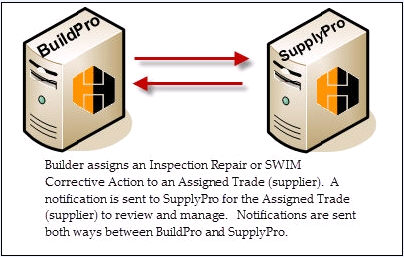
The following steps describe what occurs when a builder assigns an Inspection repair to the Assigned Trade (Supplier)
The Builder logs into BuildPro and selects an SWIM Corrective Action. Here the Builder can assign the SWIM Corrective Action to an Assigned Trade (Supplier).
Once the Builder assigns the SWIM Corrective Action to an Assigned Trade (Supplier), an alert notification will be sent to SupplyPro for the Assigned Trade (Supplier) to access and review the details.